
Last year, while I was working in France, I had the privilege of having an office. This was the first time that I’d ever really had that kind of resource available to me, and I certainly didn’t hesitate to make full use of it. There’s something reassuring about having a space on campus that is resolutely yours; somewhere you can decorate and populate. This year, I’ve been lucky enough to have been given a desk in a shared PhD office, and so I thought I’d offer a quick guided tour. Presenting … the annotated guide to the Bat-Cave! (or, ‘A list of some of the things that Edward keeps in his office’)
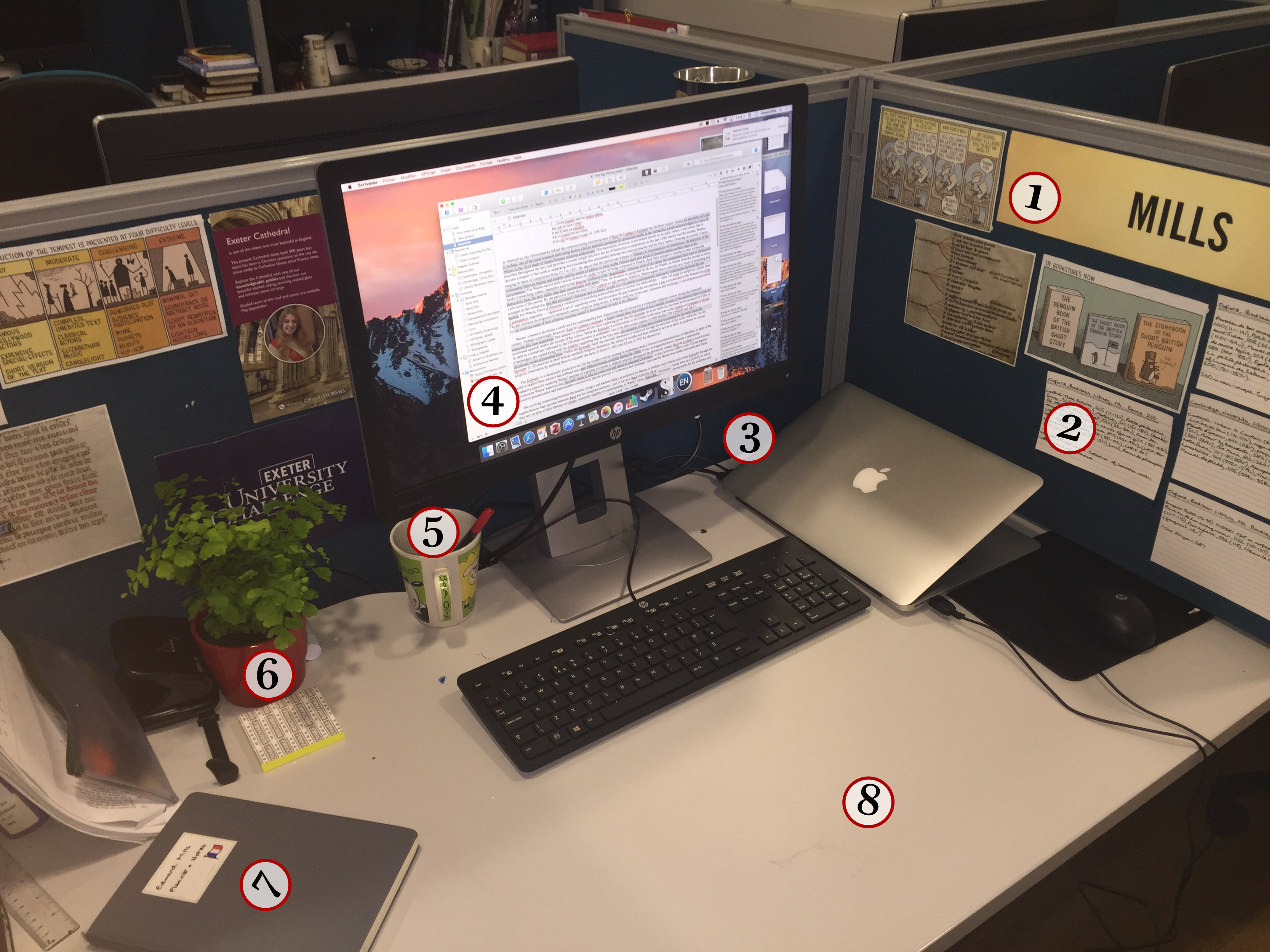
(1) A massive name-badge. I’m cheating a bit here: this one was actually a prop in Exeter’s University Challenge tryouts. Having made it through to the semi-finals of the internal competition, I walked into the room to find our names staring at us on pieces of card that eerily mimicked the pieces of acetate that you see on the show. As I swiftly said to the Students’ Guild member running the event, ‘whatever happens, I’m keeping that.’
(2) Notes on manuscripts. This has actually been superseded slightly by a shiny digital spreadsheet, but given that they’re in three colours I figured it would be a shame to waste them.
(3) The Adaptor, a.k.a. The Best Five Pounds I’ve Spent In A While. Each desk in the rather large shared office comes with its own computer, but a desire to avoid having to transfer files every day led me to buy this rather nifty little dongle. It effectively lets me use the monitor as a second screen for my laptop, which means I can use all the software I need, without having to install anything (albeit with the side-effect of leaving a perfectly serviceable PC gathering dust under the desk). Speaking of software, though …
(4) Scrivener. I’m not the first person to sing the praises of this piece of software – see, notably, a blog post a while ago (in French) from the brilliant author Clémentine Beauvais – but I’m equally certain that I won’t be the last. Scrivener is a wonderful piece of software, mainly because it separates the process of writing from the process of page layout. By default, there’s no page display in Scrivener – instead, there’s a plain white box, from which you can later export your work into a Word or Pages document. This does mean that you can no longer write ‘two pages per day’, of course, but on the other hand, you are able to have multiple documents on the go at the same time, viewing them either individually or as part of a larger whole. The software does take some getting used to at first, but I’d very much recommend downloading the 30-day trial and seeing what you think. (That’s an actual 30 days of use, by the way, not 30 days of the program sitting on your desktop until the next calendar month.)
(5) A mug for tea. Because, y’know, tea.
(6) Herby. This is Herby – he’s a fern, bought / adopted at the houseplant sale that was running at the Student’s Guild last week. I like him because, like me, he has a tendency to get distinctly excitable: when you shake him, his leaves wobble like I do when I go all ‘eeeeeee!’ about something I like.
(7) The planner. I’ve blogged before about my infatuation with paper planners, so it might not come as a surprise for you to hear that I’ve invested a lot of time this year into making my own planner Just Right. As it happens, I’ve changed my planner since I last mentioned it – but how, you might ask, is it different? Well, eager reader, time (and future blog posts) will tell …
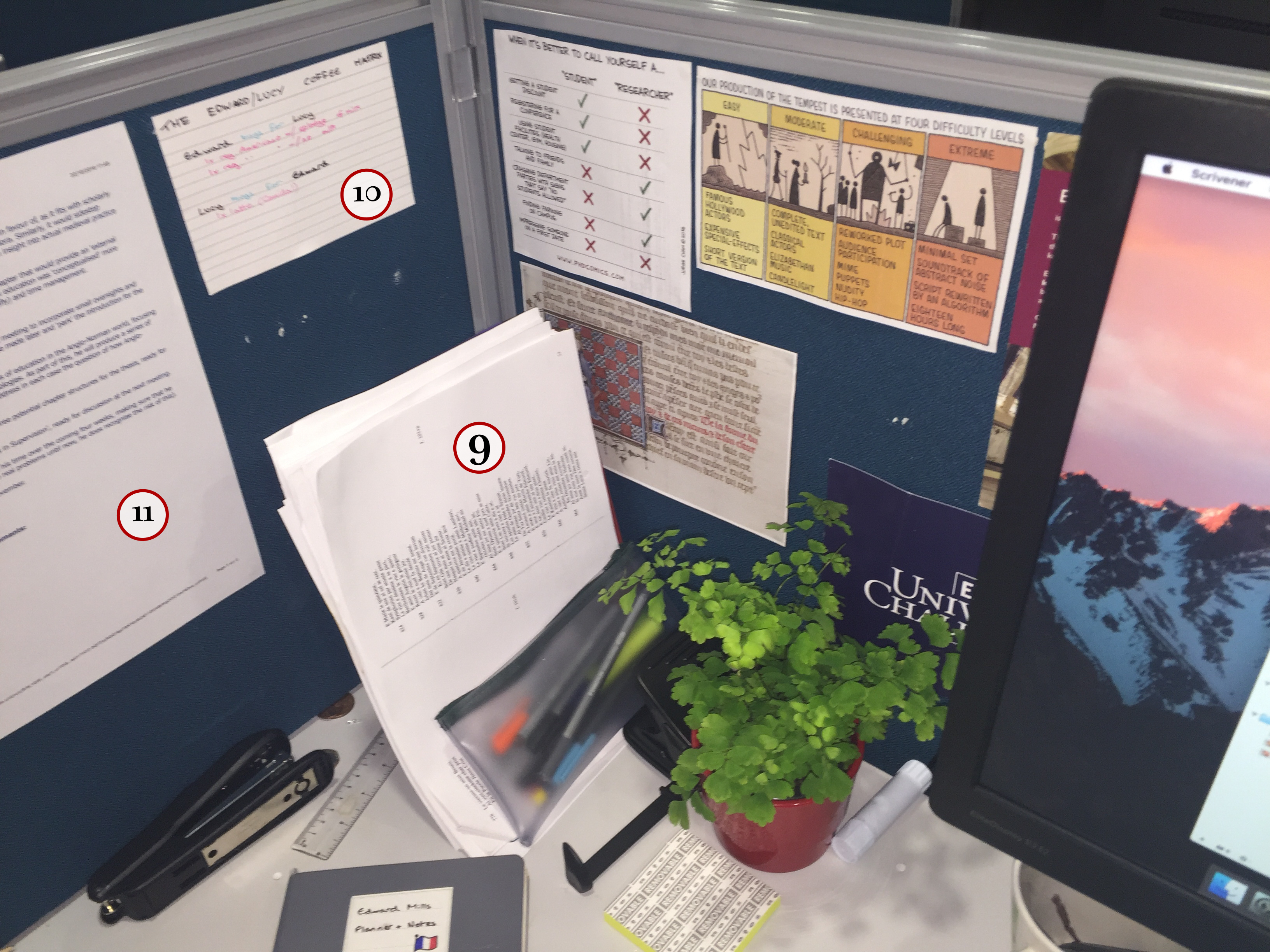
(9) Printouts. I’m generally quite a techy person, but there are some things, like my planners, that I feel are just better done in analogue form. Plenty of research has been done on the effects of reading text on-screen – for a very approachable exploration of this from a social perspective, I’d recommend Naomi Baron’s Words Onscreen: The Fate of Reading in a Digital World – but I personally don’t need all that much convincing.
(10) The coffee matrix. My colleague from last year at the ENS (hello, Rebecca!) can testify to the fact that, when presented with the opportunity to consume unhealthy amounts of coffee, I take the chance with gusto. With that in mind, my latest American colleague (see below!) and I have drawn up the ‘coffee matrix’, where we make a note of who has bought what for whom in those ‘I’m-getting-a-coffee-and-was-wondering-whether-you’d-like-one’ moments. And yes, she does currently owe me one coffee.
(11) Feedback. This is something that I’ve taken to doing in the last few weeks. As I mentioned briefly in an earlier post, Exeter has a system called MyPGR where postgraduate research students write up summaries of ‘contact events’ (supervisor meetings). I’ve taken to printing this report out and sticking it up on the wall near my desk, since it’s proven useful in giving me a sense of what my goals are for a given four-week period.
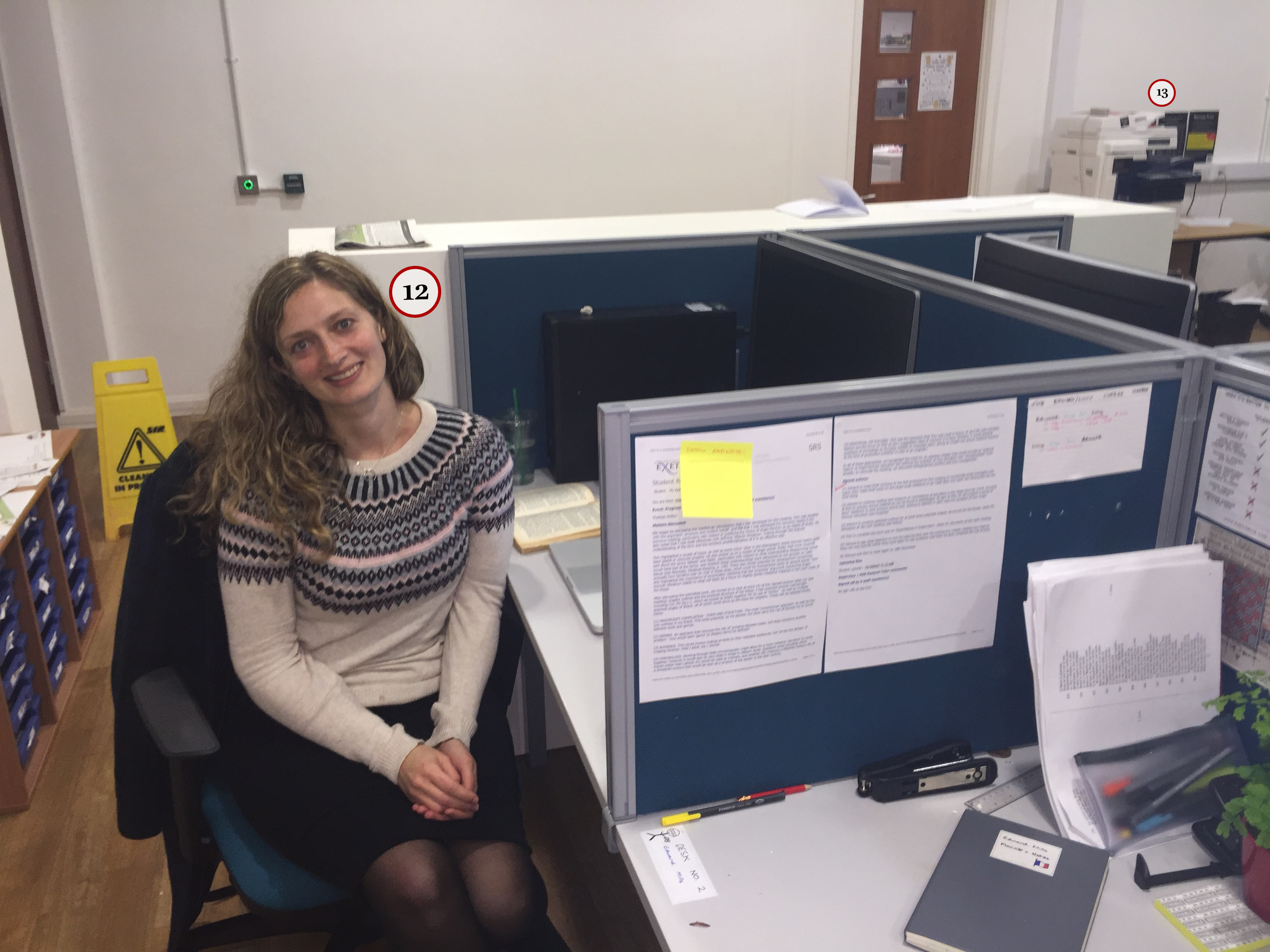
(12) An office buddy! Lucy, like me, is a first-year PhD student, and makes up one half of the Victorian sandwich in which I find myself in the office (my colleague to the right also being a Victorianist). Quite apart from being absolutely lovely, Lucy is also in possession of an amazing ability to tolerate my weirder habits, habits which would likely drive anyone else absolutely up the wall. I’m a habitual pen-chewer, but somehow Lucy has the patience of a saint about it, even when little bits of pen-lid find themselves strewn all over my desk (and sometimes on the floor).
(13) Printer / copier. Oh, printers – where would we be without you? I might be using the office one a little too heavily at the moment, to be honest, but then again, PGRs in the humanities do get free printing.
So, there you have it – a brief guided tour of my office! Thanks very much to Lucy for allowing me to borrow her camera, and to you for deciding – for some strange reason – to read just over 1,000 words on one postgraduate student’s study space. Next week, I’ll be talking about extra-curricular activities and the PhD, so do tune in for that. There may be music.
 Edward Mills
Leave a comment